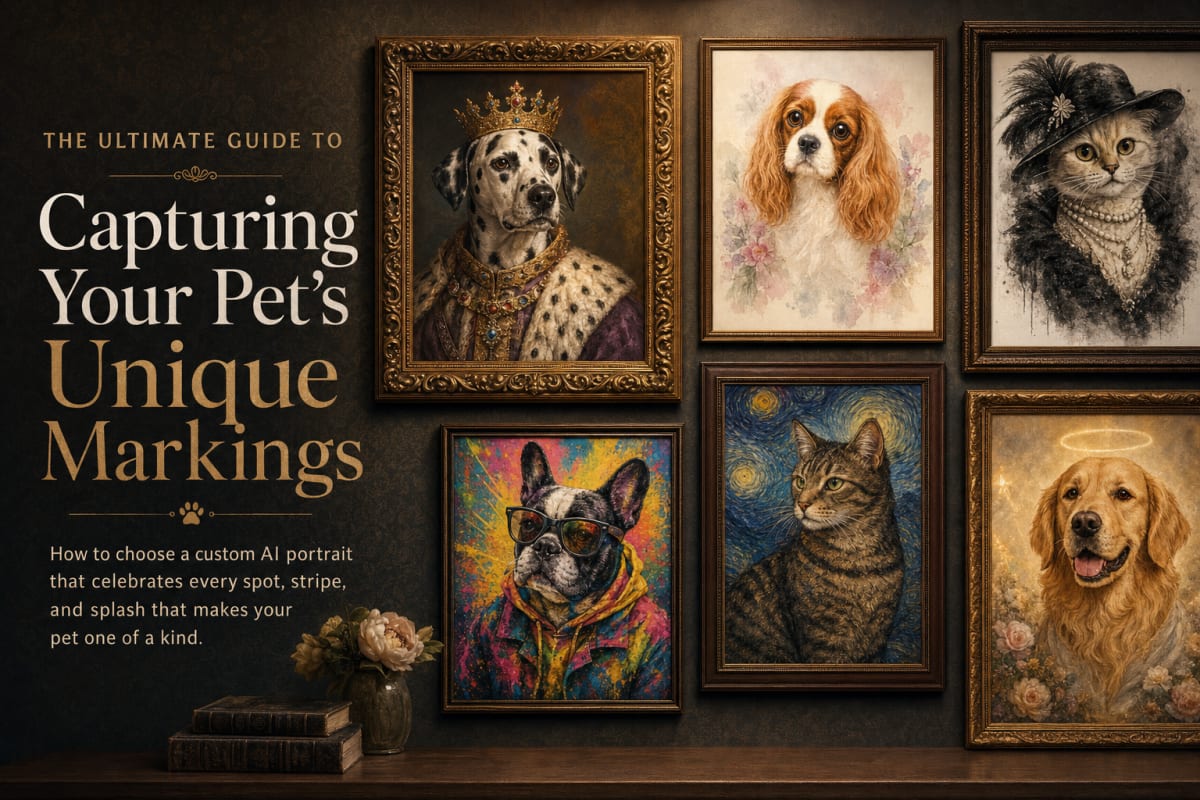
Every pet has a story written in their details. The white patch on their chest that looks like a heart. The notch in their ear from that fence incident. The way one ear flops a second later than the other. When you order a custom portrait, you want those details to come through. I get it. I'm the one who inspects every order before it ships, and I've learned a thing or two about what makes a portrait feel like your pet and not just any pet.
Start with the right photo
The portrait is only as good as the photo you give it. That sounds obvious, but it's the most important step. You want a photo where your pet's markings are clearly visible. Good lighting helps. Natural light, not a flash that washes out their face. A photo taken from their eye level, not from above. And get close enough that their face fills a good part of the frame.
Think about what makes your pet recognizable. Maybe it's the stripe down their nose, the white socks on their front paws, or the patch over one eye. If the photo is too dark or blurry, those details might get lost. If your pet is squinting or looking away, you won't see their eye color or the scar above their brow. Choose a photo where they're looking at the camera, even if it's that classic side-eye they give when you're holding a treat.
Here's a trick I use with my own fur babies: take a few photos in the same session. One where they're relaxed, one where they're alert, one with that goofy tongue-out moment. You'll have options, and you can pick the one that feels most like them.
What details carry through
You might wonder how much of your pet's uniqueness actually makes it into the portrait. The AI is good at picking up on the big stuff: coat color, patterns, ear shape, eye color. If your dog has a black patch over one eye, that will show up. If your cat has a white chin and a gray tail, that will come through too.
But some details are more subtle. A small scar on their nose, a missing tooth that makes their smile lopsided, a bent whisker. These are the quirks that make you smile every day. The AI might not always get them right on the first try. That's why we have the preview and the regenerate button. You can see the portrait before you pay, and if something's off, you can hit regenerate until it feels right.
And if a detail is especially important to you, like a distinctive marking or a scar that tells a story, it's worth mentioning in the notes when you upload your photo. I read every note, and I'll do my great to make sure that detail is honored.
Using the preview to your advantage
The preview is your great friend. Don't rush through it. Look at the portrait the way you'd look at a photo of your pet. Check the eye color. Is it the right shade of amber or blue? Check the markings. Is the white blaze on their forehead the right shape? Is the spot on their back in the right place?
If something doesn't look right, you have options. You can regenerate the portrait and get a new version. Sometimes a different style will handle certain details better. For example, a classic oil painting style might soften a scar, while a sketch style might emphasize it. Or you can upload a different photo. Maybe the one where they're tilting their head just so captures that ear better.
Don't settle until you're happy. That's the whole point of the preview. You're in control, and I want you to love the portrait as much as I love seeing the joy it brings.
When a detail is especially important
Some details are more than just physical. They're part of your pet's story. The scar from their surgery. The patch of fur that never grew back. The way their tongue hangs out just a little on one side. These are the things that make them who they are.
If a detail like this matters to you, make sure it's clear in the photo. If the scar is on their leg, choose a photo where that leg is visible. If it's on their face, get a close-up. And again, mention it in the notes. I'll keep an eye on it during my review.
There's also the option of a memorial portrait if you're honoring a pet who's passed. In those cases, the details can feel even more precious. A tiny white spot on their paw, the exact shade of their coat. I've seen how much it means to families to see those details preserved.
Styles that celebrate their quirks
Different art styles handle details in different ways. A watercolor style might be softer and more impressionistic, which can be lovely for a gentle soul. A royal portrait with a regal background can make your pet look like a noble ancestor, but it might not be a great choice if their charm is in their goofy grin.
For pets with distinctive markings, a custom dog portrait in a style that leans toward realism might serve you well. You can see exactly how the AI interprets their coat pattern and facial features. And if you're not sure, the preview lets you try a few styles without committing.
Trust the process, but speak up
Here's the thing: I review every order personally before it ships. I check for the obvious things like a missing paw or an eye color that's off. But I don't know your pet like you do. I don't know that the white spot on their nose is from a fight with a porcupine, or that their left ear has a permanent flop from a childhood injury.
So if something doesn't look right to you, tell me. Use the regenerate button first, but if it's still not right, reach out through the contact page. I'll work with you to make it right. That's the standard we hold ourselves to.
Your pet is one of a kind. Their portrait should be too. Take your time with the photo, check the preview closely, and don't be afraid to ask for what you need. That's how we get to a portrait that makes you smile every time you see it.